Fukupochi
image
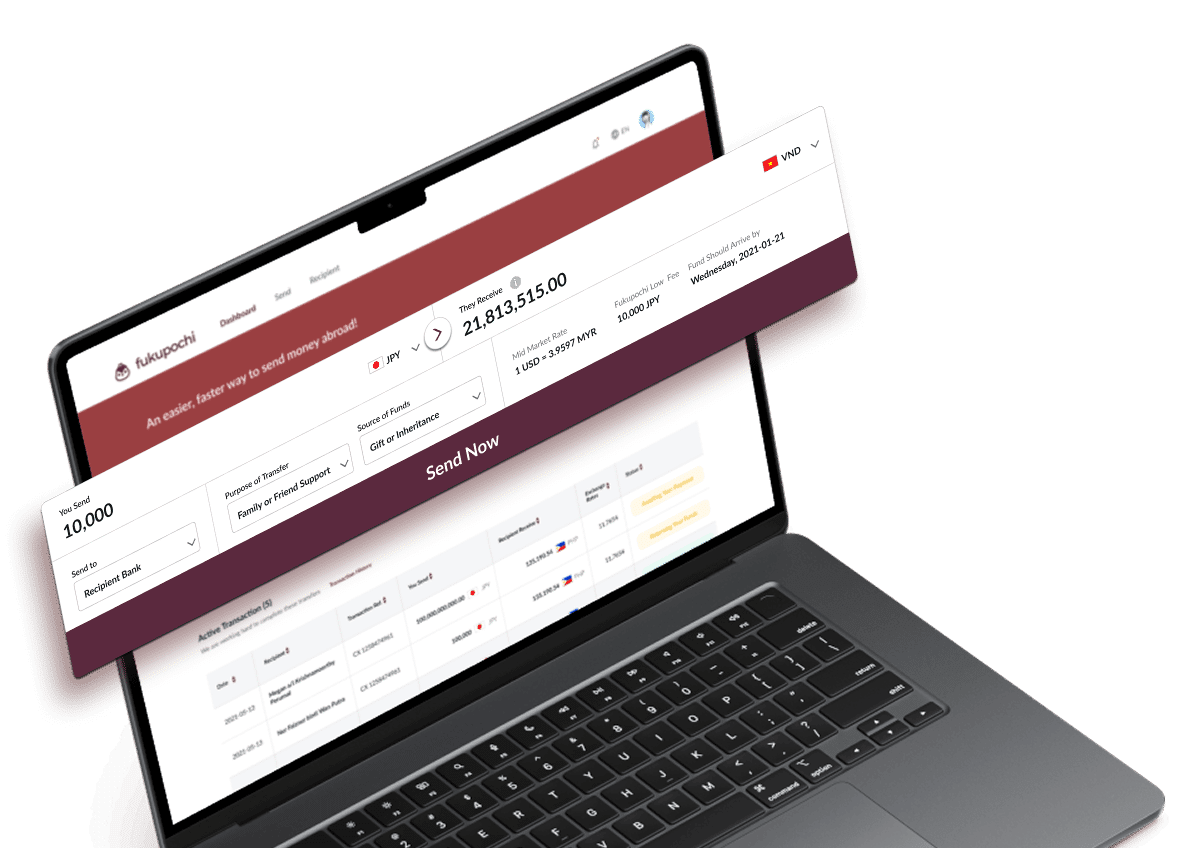
Send Money Overseas Easily with Fukupochi No fuss. No hassle.
Just send money abroad the smart way!
image image image image
Step 1 Transfer details
image
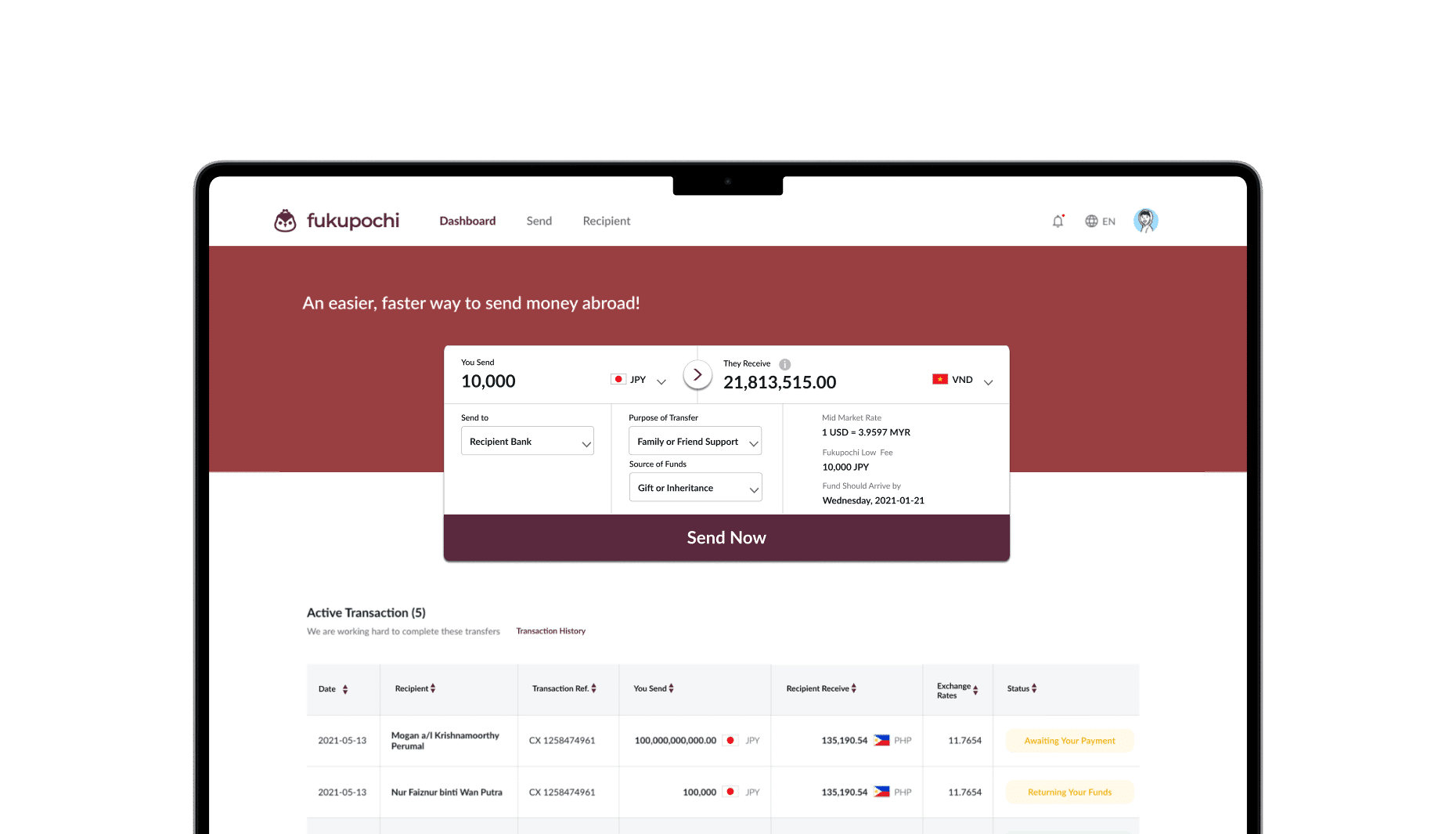
1. First, login to your account with Fukupochi. To submit a transfer, head to the Send tab on the top of the page.
2. Input the amount you are sending and the amount your beneficiary will receive will be displayed.
3. You will also find the mid-market rate, transaction fees and estimated date the funds will arrive clearly displayed.
4. Choose from the following available options*, the method in which your recipient would like to receive the funds:
*Available options depend on the recipient’s currency.
- Recipient Bank: funds sent to the recipient’s bank account
- Mobile Wallet: funds sent to the recipient’s mobile wallet (e.g., Alipay, WeChat Pay, etc.) — coming soon
5. Select from the drop-down lists the purpose of transfer and the source of funds that best suit this transfer.
*We are required to collect these information as part of our due diligence as required by regulations.

Pro tip 1: Alternatively, you can input the amount your recipient needs to receive and the amount you need to send will be displayed.
image image
Step 2 Your recipient’s details
image
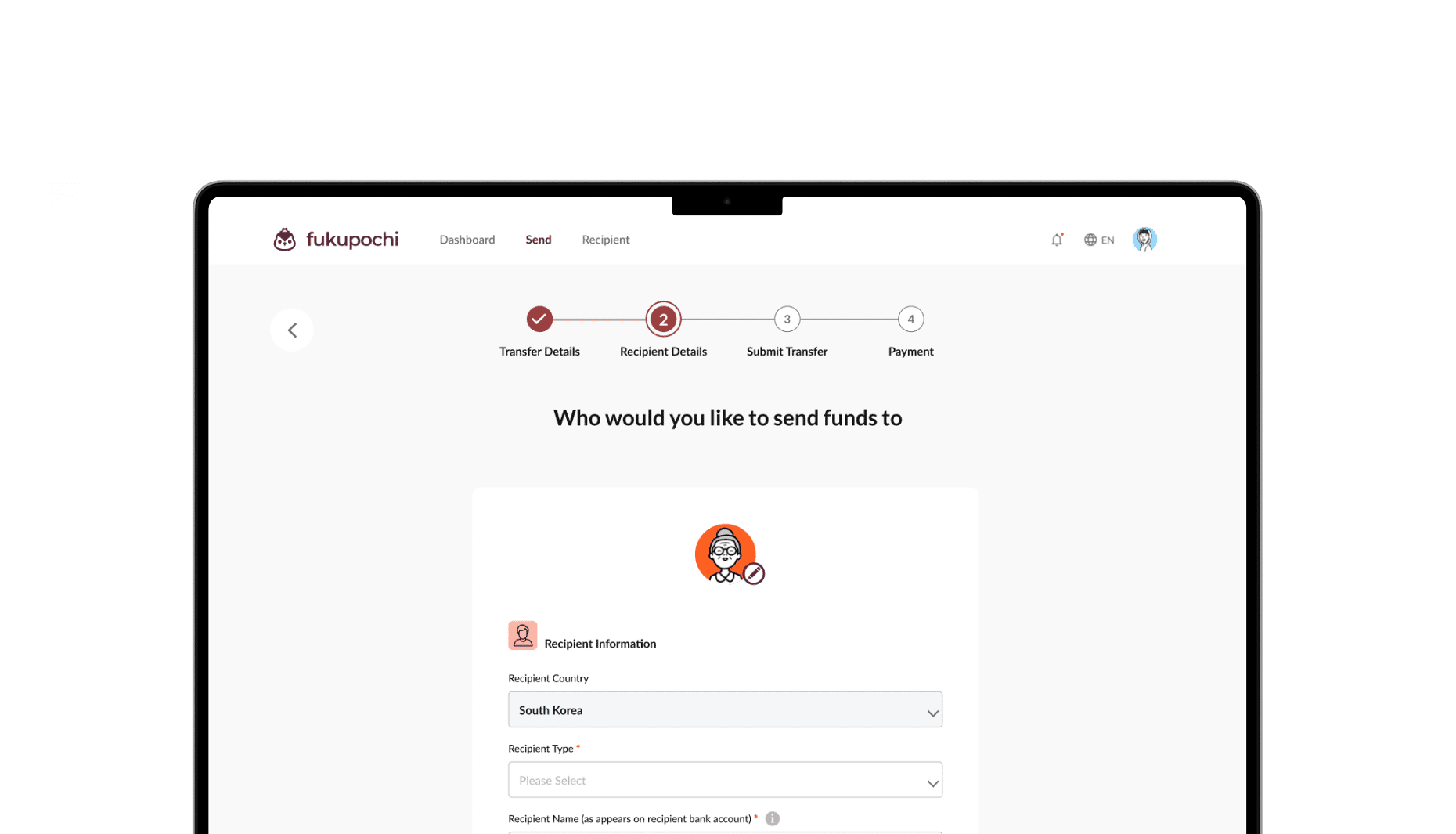
Provide us with your recipient’s information and his payment details.

The payment details required will depend on the method in which your recipient would like to receive the funds, i.e. if via recipient bank, bank details are required.

The recipient details we collect will vary in accordance to the country you are sending funds to.

For payments to recipient bank, Recipient Name provided must be an exact match of the bank account name registered to the recipient bank account provided to avoid any delays or possible payment rejections.
image Pro tip
- Save recipient as favourite so you don’t have to key in their details again for future transfers.
- Recipient Name provided must be an exact match of the bank account name to avoid any delays or possible payment rejections.
- Depending on the country you are sending funds to, there may be an option to include a note for the recipient, as a reference for the recipient to better identify your payment (eg. June Rental). There is usually a limit of 35 characters.
Step 3 Submit transfer
image
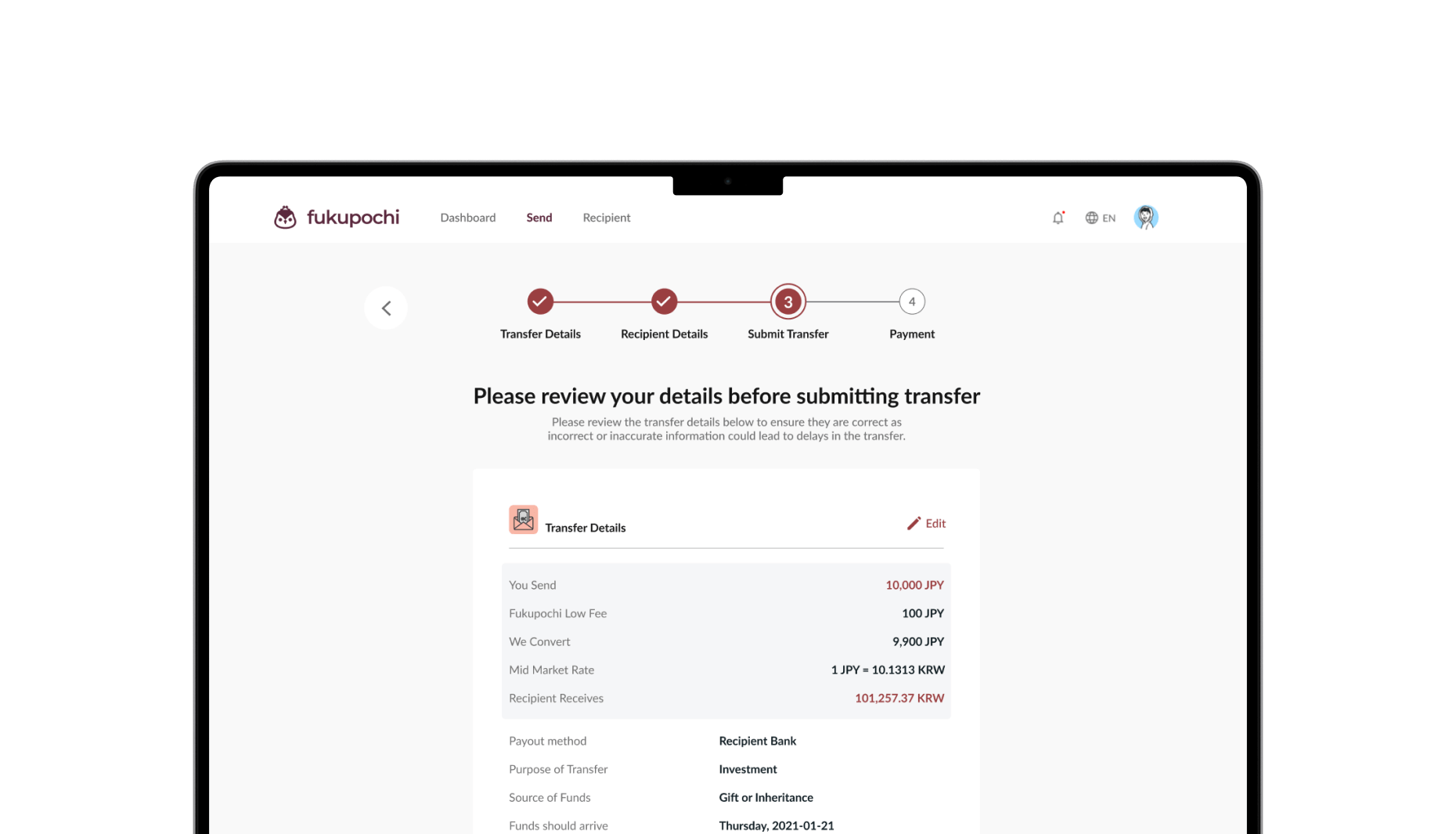
Review all the details you’ve provided to make sure everything is correct. Once you’re happy with everything, click “Submit Transfer” to proceed. If you need to make changes, click “Back” in the top left to return to the previous pages, or click “Edit” on the right of any section to update the information.
Step 4
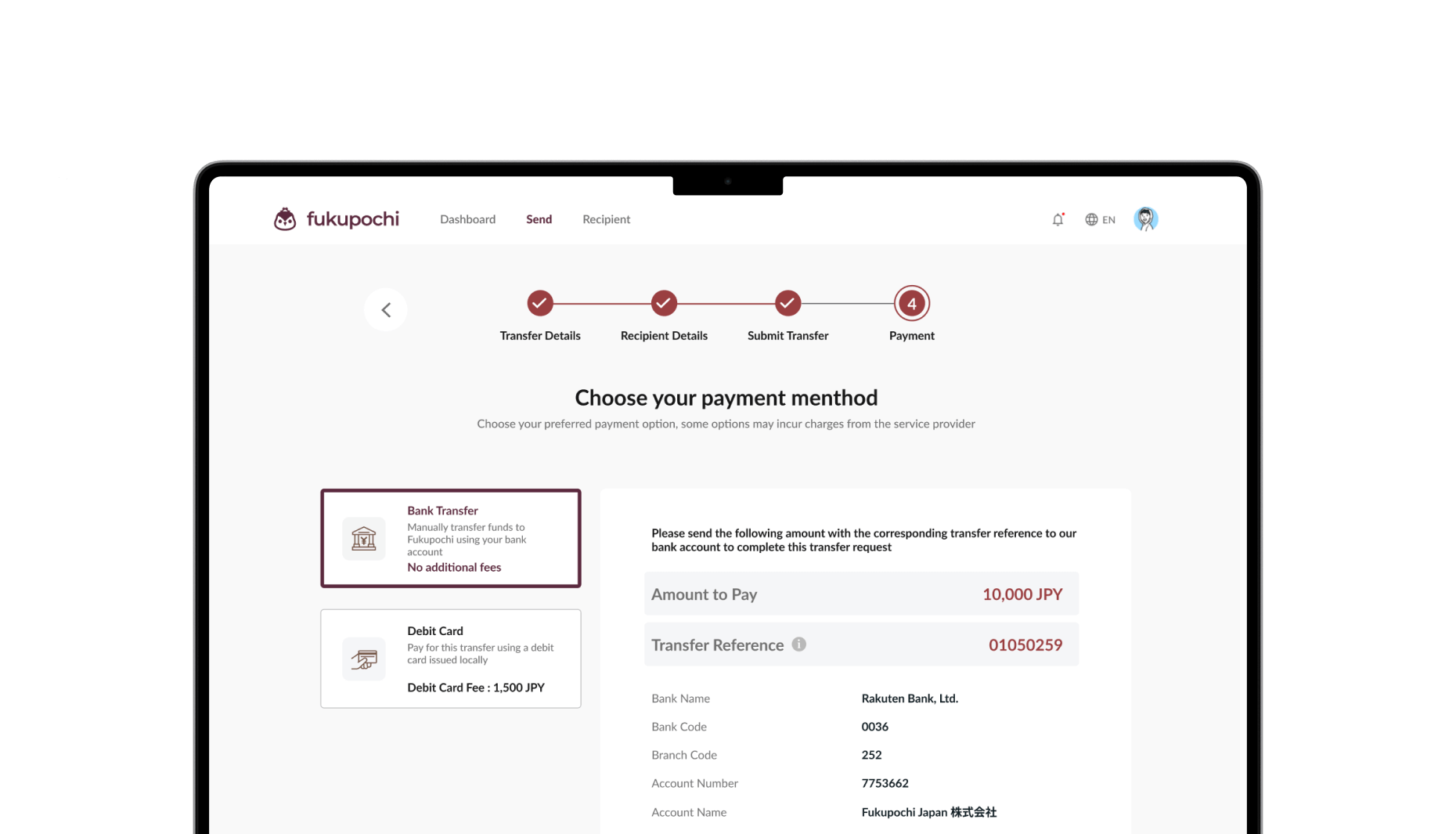
Payment You can pay for your transfer via two (2) ways:
image Bank transfer
image
Bank transfer payments must originate from a bank account in your name. Any payments from third parties (e.g. family members or friends) will result in the cancellation of the transfer.

Please include the unique transfer reference when performing the bank transfer, so we can easily and accurately identify the funds when we receive them.

The mid-market rate quoted to you is valid for 24 hours. To lock in this rate, we need to receive your funds before the time displayed on screen.
image Pro tip
Including the unique transfer reference helps us identify your payment quickly and avoid any delays.
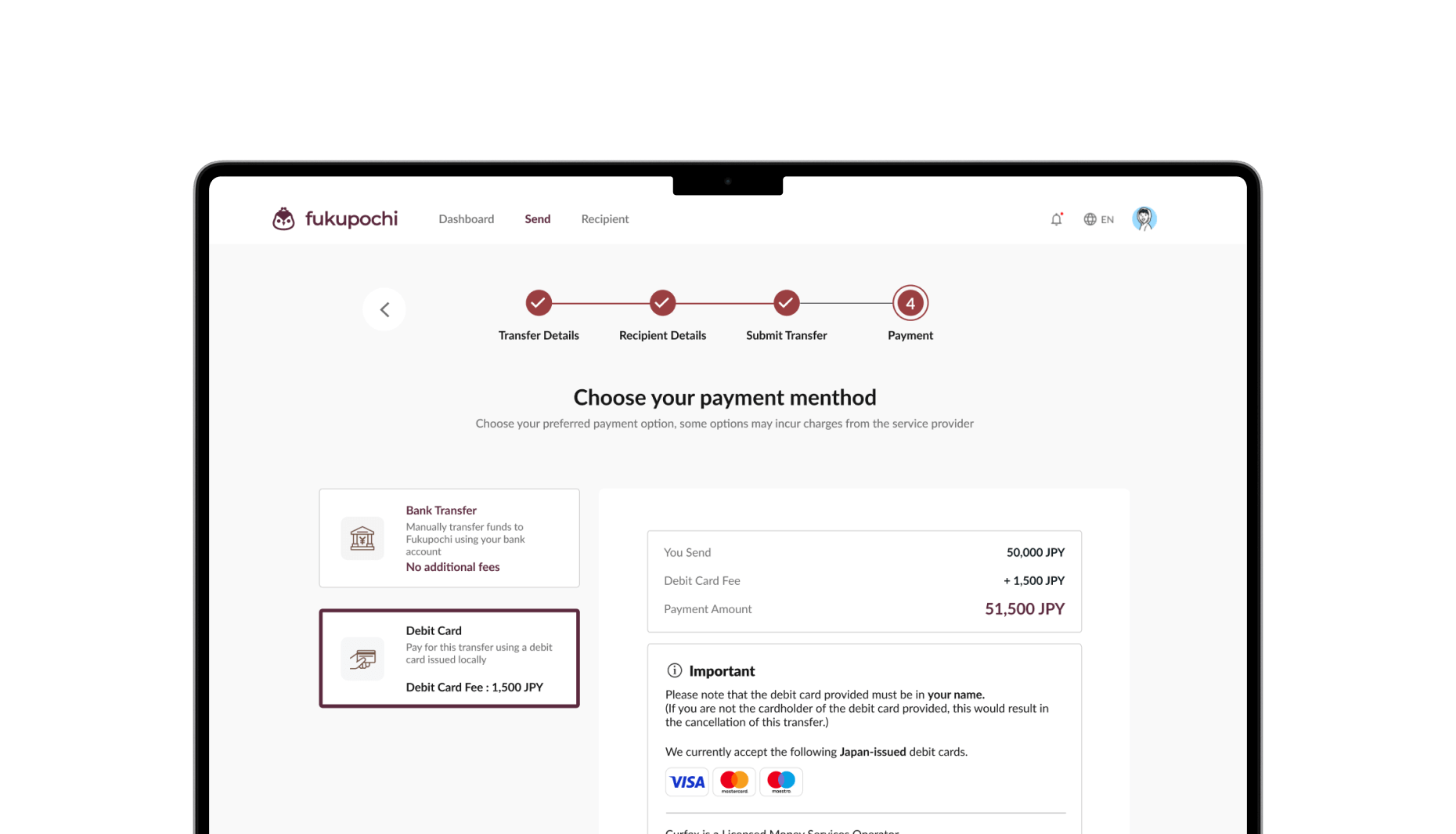
image Debit card
image
Enter your debit card details to process the payment. Please rest assure that your debit card details are processed through a secured network and we do not keep any of your debit card information. Know more by checking out our Debit Card Policy.

Please note that a debit card processing fee may apply. The processing fee is displayed and added to your payment amount. (This fee is not charged by Fukupochi but by the card processing service provider.)

For transfers originating from Japan, we are only able to accept locally issued debit cards in Japan due to regulations.
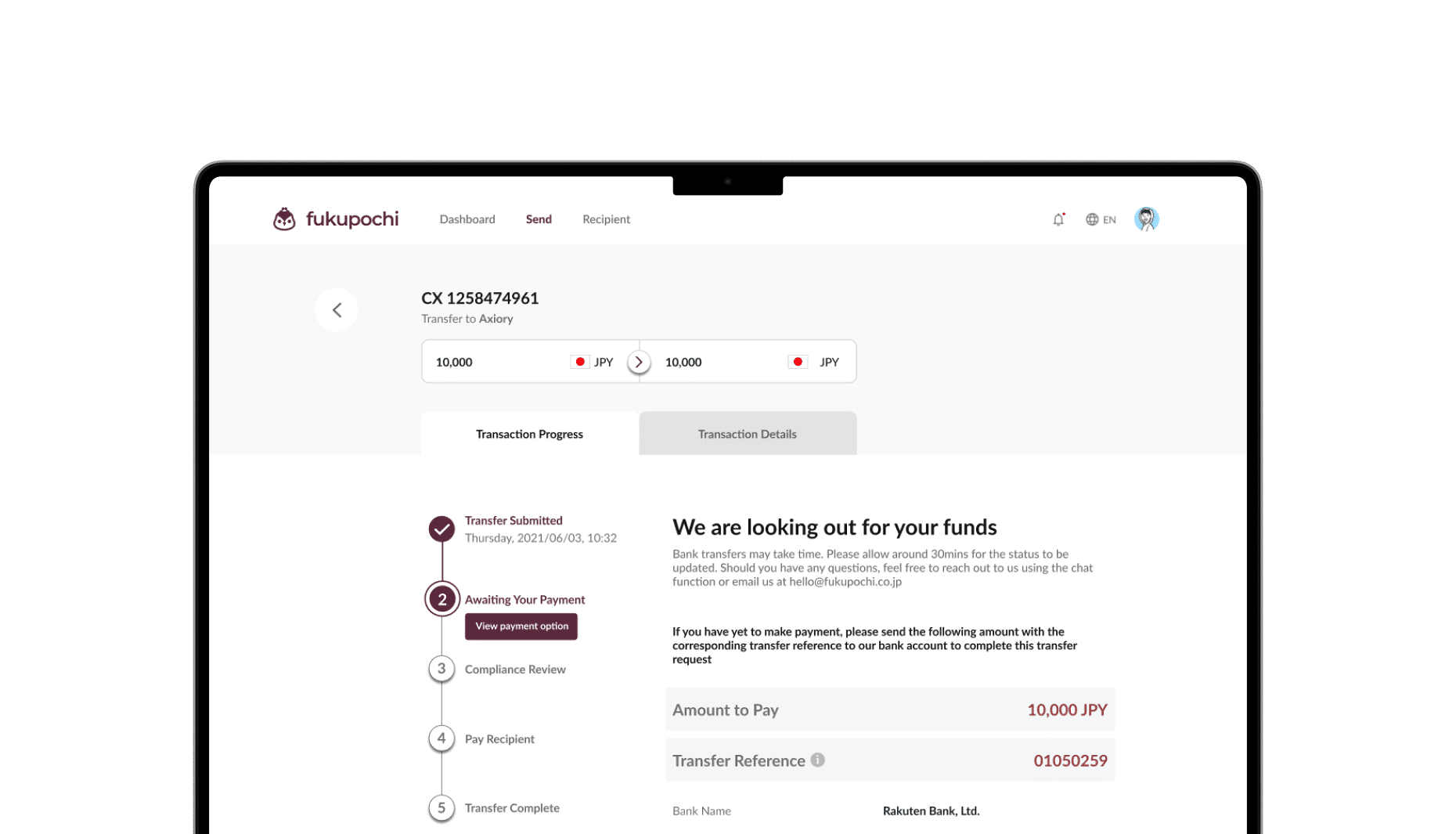
Step 5 Complete: Transfer Submitted
image
Easy peasy! Your transfer is now successfully submitted.

If you made payment using bank transfer, we will be on the look out for your funds and will endeavour to complete the transfer as soon as we receive them.

You can monitor the status of your transfers by logging into your account.
image Pro tip
Bank transfers may take time. Please allow around 30mins for the status to be updated. Should you have any questions, feel free to reach out to us using the chat function or email us at hello@fukupochi.co.jp
image
image
Cheaper transfer Save Big on Transfers Up to 87% less
image
Ease of mind Stress-Free Transfers
24/7 realtime tracking
image
Hassle free Transfer Hassle Free
No more queues or waiting 
Fast. Easy. Reliable.
Use Fukupochi today!
Enjoy Your First Transfer-FREE!